
Side project · free
Wortex
The daily word puzzle — in German, English and Ukrainian.
What is it?
Wortex is a word puzzle in the style of Wordle: find a five-letter word in six tries. After every guess the letters change color — green means right letter in the right spot, yellow means the letter is in the word but somewhere else, and grey means it is not in the word at all.
The twist: Wortex comes in German, English and Ukrainian. The daily word is the same for everyone and has a “par” like in golf — the number of tries the word takes on average. So you can compare yourself with others even if you play in different languages.
What's inside?
What it looks like
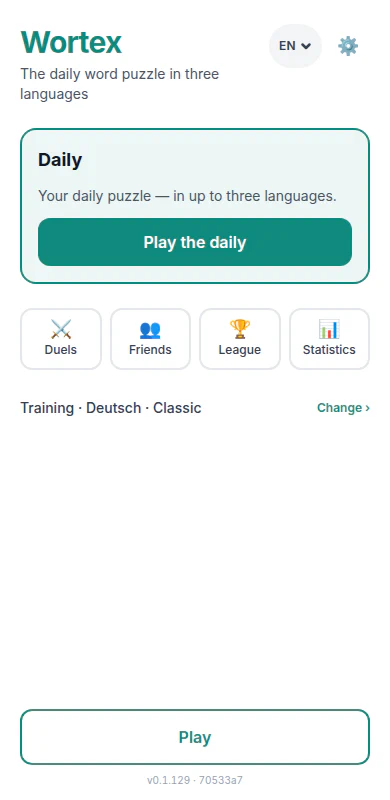
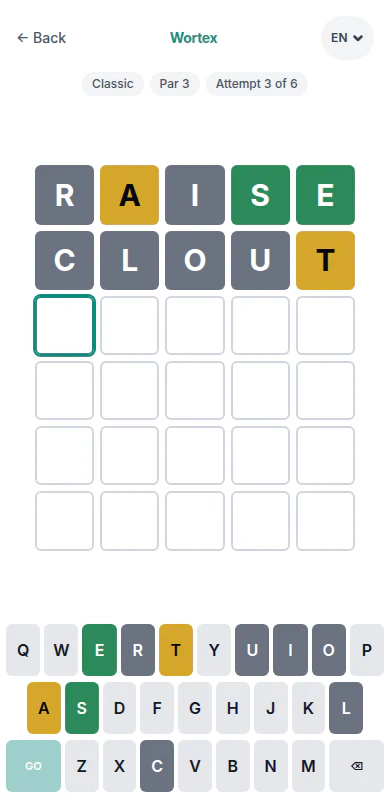
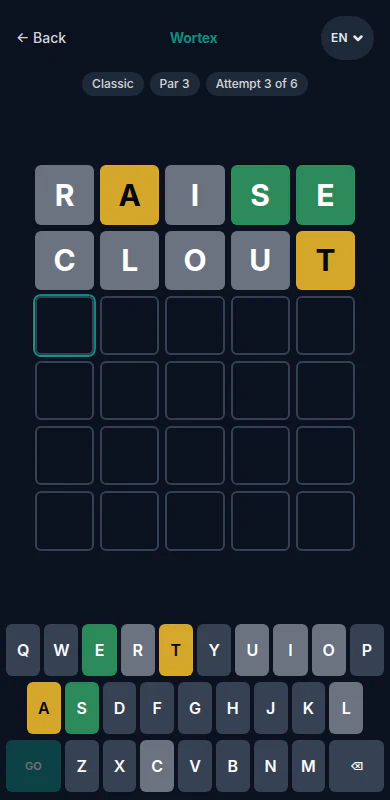
How to get it
- iPhone / iPad: in Safari, tap Share, then "Add to Home Screen".
- Android: in Chrome, open the menu (⋮), then "Install app" (or "Add to home screen").
Quick questions
Do I need an account?
No. A name and an emoji are enough to join in — no e-mail, no password.
What does the "par" mean?
The number of tries a word takes on average — like in golf. That’s how you compare yourself with others, even if you play in different languages.
Can I play offline?
Yes, in training: four difficulty levels from “Relaxed” to “Expert”, with a time limit or strict mode if you like.
Which languages does Wortex come in?
German, English and Ukrainian — interface and puzzle words. Every day there is one daily word per language.
Is Wortex in the App Store?
No. Wortex runs in the browser and installs from there as a web app, with its own icon on your home screen.
Want to try it?
Wortex runs right in the browser — no sign-up, on your phone or your computer. The next daily word is already waiting.
 PioTime
 Omnido
 Shift
Shift