← Back

Side project

PioTime

Time tracking for the field ministry — no account, local and offline.

What is it?

PioTime is made for pioneers — for everyone with a monthly hour goal in the field ministry. The app records the time you spend, shows your progress toward the goal and puts your report together at the end of the month.

The key part: PioTime works without an account and runs entirely locally on your device, even offline. There is no sign-up, and your entries stay there unless you pair another device — they live in your browser only. If you use more than one device, you can pair them with a QR code: an end-to-end encrypted copy then lives on a server, readable only by your own devices, and you can unpair again at any time. A backup exports to a file with one tap, independent of that.

What's inside?

Quick entry Buttons for your most frequent durations, or a built-in timer, one tap is enough.
Monthly goal & service year A progress bar for the monthly goal, a service-year overview with credits and monthly totals.
Calendar & list Every month as a calendar or as a list, including a hint at possible gaps.
Bible studies & report Count Bible studies per month, generate a ready-to-send report.
Device syncing Pair your phone, tablet and other devices with a QR code, end-to-end encrypted.
Eight languages German, English, Spanish, French, Italian, Russian, Ukrainian and simplified Chinese.

What it looks like

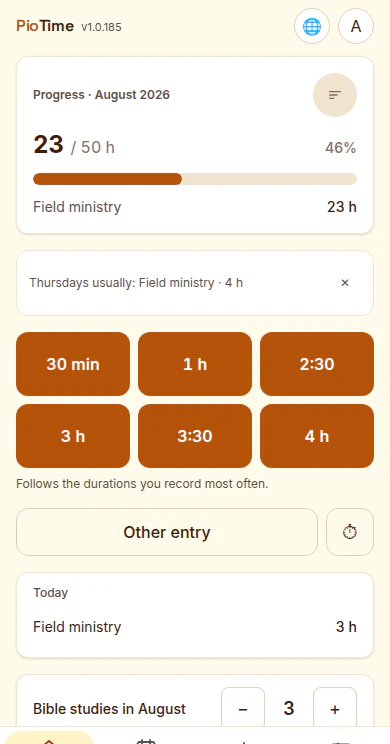
PioTime start screen with a progress bar at 23 of 50 hours and quick buttons for frequent durations
The start screen: progress toward the monthly goal and quick buttons — one tap is enough.
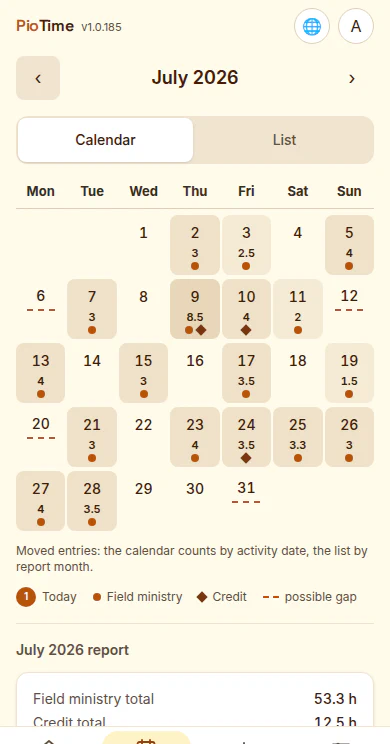
Monthly calendar for July 2026 with marked ministry days and hour totals
The month as a calendar: entries, hours and possible gaps at a glance.
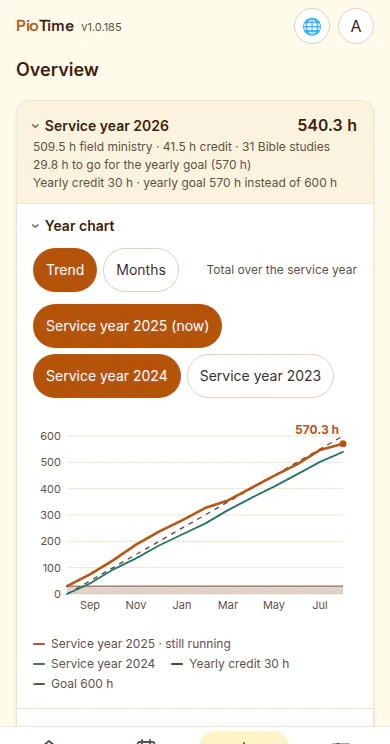
Service-year overview with a total of 540.3 hours and monthly totals below
The service year: where you stand, credits, and every month in detail.
PioTime start screen in dark mode
Dark if you like — one tap on the moon in the app.

Support

PioTime is free and stays that way. Anyone who wants to can support the app voluntarily.

Support PioTime

How to get it

PioTime comes two ways: as a web app right in the browser — new features land there immediately, and it installs on any device. Or as an app from Apple's App Store for iPhone and iPad. PioTime is not on Google Play — on Android you install the web app, like this:

From the app store Download on the App Store
Right in the browser This is a progressive web app (PWA): a website you can install like an app — with its own icon on your home screen and its own window, without browser bars.
  • iPhone / iPad: in Safari, tap Share, then "Add to Home Screen".
  • Android: in Chrome, open the menu (⋮), then "Install app" (or "Add to home screen").
For PioTime this is more than convenience: your data lives only in the browser, and browsers may eventually clear the storage of rarely visited sites — iPhones after just a few weeks without a visit. Installed, your entries stay reliably in place. The app shows you a guide for this on first start.

Documentation

All features in detail, with guides for device syncing, backups and installation.

Go to the docs

Want to try it?

PioTime runs in the browser and installs to your phone — or you can get it for iPhone and iPad from the App Store. To have a look around, the start screen offers a demo with sample data.

Open the app