Press and media kit
Everything you need for a piece about Omnido: facts, images and texts you can reuse.
Fact sheet
- Name
- Omnido
- What it does
- Omnido turns an email, a Teams message or a note into a task: the AI suggests title and description, with a subscription also date and category, you review and accept. The task keeps its source; “Go to source” takes you back when a way back is stored.
- Platforms
- Mac (Apple silicon), browser, iPhone and iPad
- Languages
- German and English
- Pricing model
- Free to use permanently without a subscription, with 30 short AI analyses a month (title and short description). The subscription adds the full AI analysis: 7 days free, then €3.90 a month or €39 a year (euro zone, including VAT). Details are on the pricing page .
- Developer
- Sascha Henning, Dippoldiswalde, Germany
- Contact
- kontakt@omnido.saschahenning.de, also via the support page
Downloads
App icon

Download the app icon as PNG (1024 × 1024 px)
Screenshots
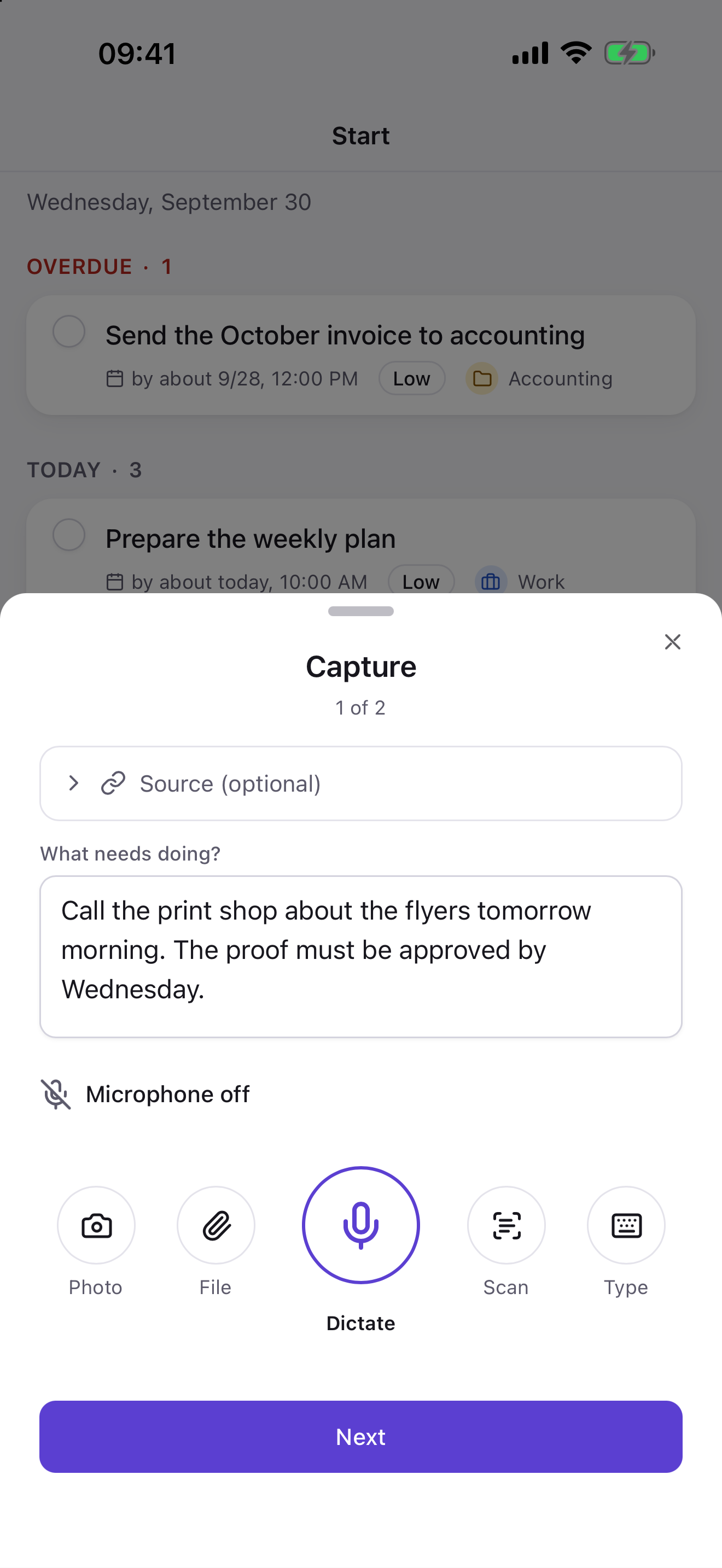
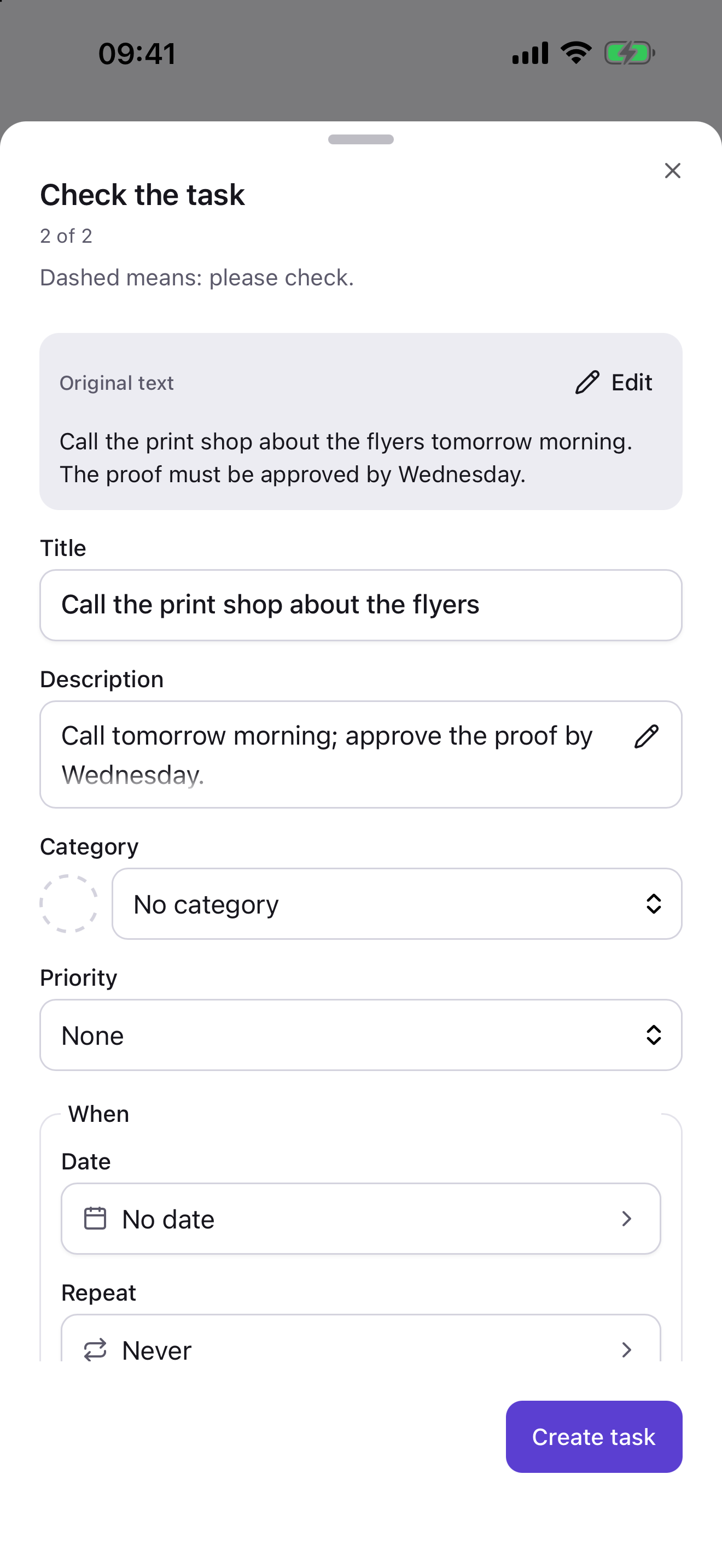
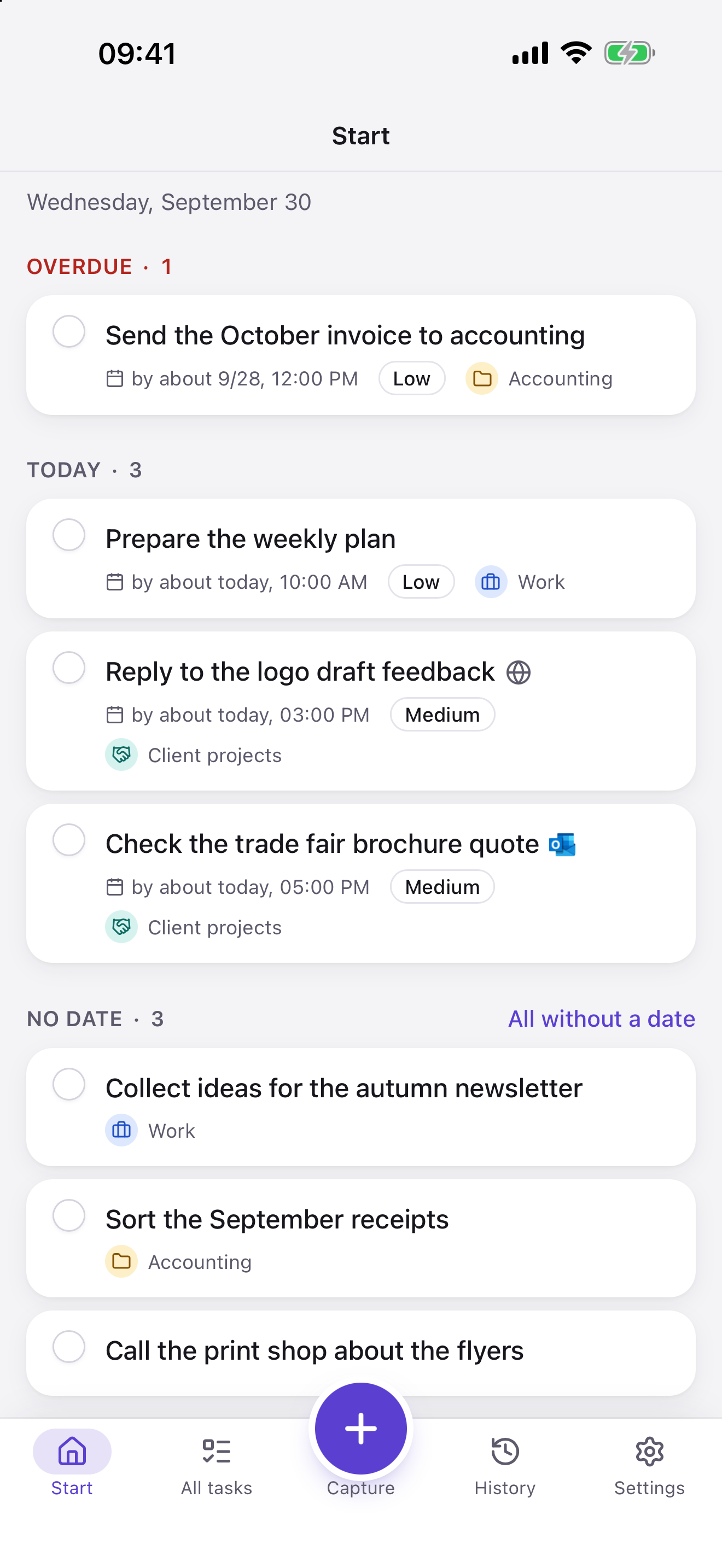
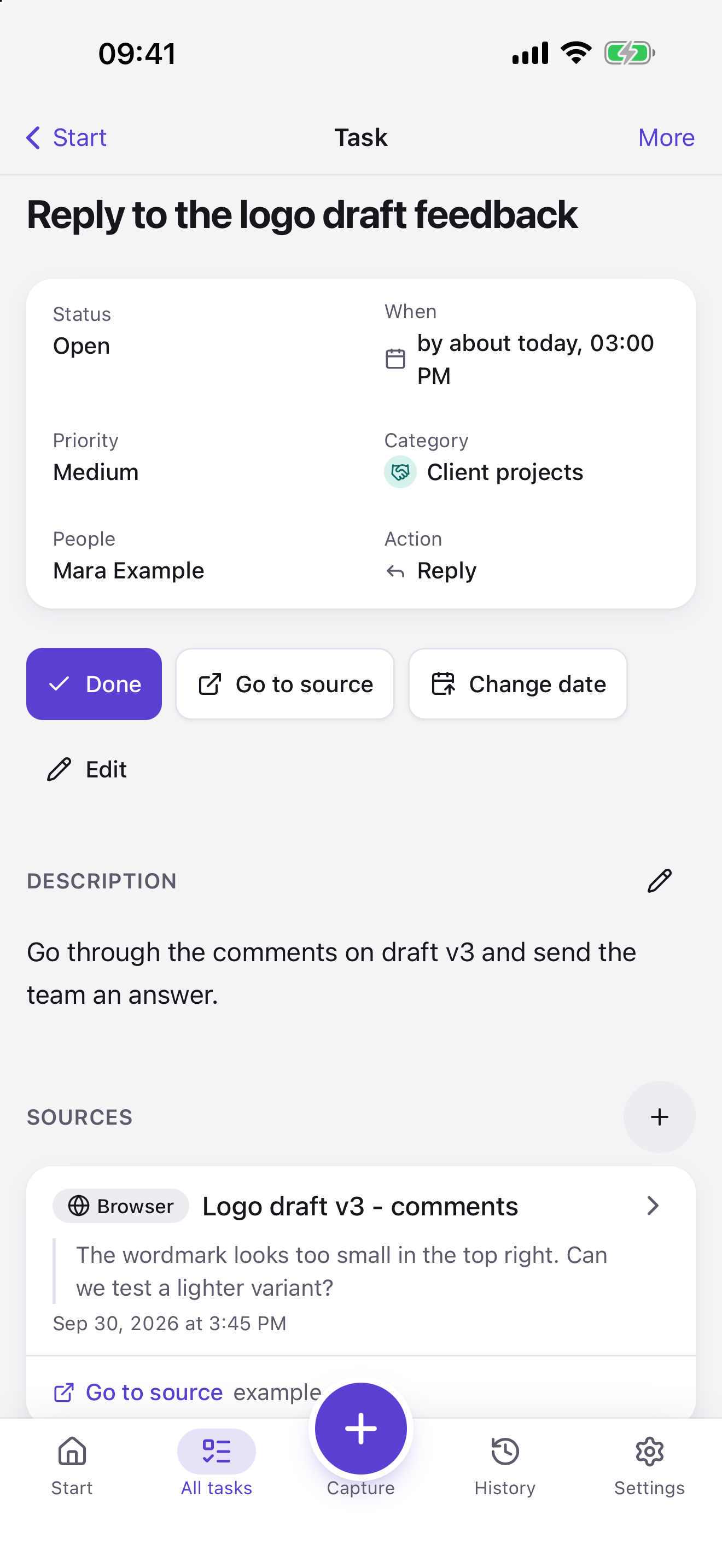
Screenshots from the iPhone app with sample data. A click downloads the original (PNG, 1320 × 2868 px).
App Store badge


The badge is Apple’s official one and must not be altered, see Apple’s guidelines (opens in a new tab) .
Developer photo

Short text (about 60 words)
Omnido turns an email, a Teams message or a note into a task. The AI suggests title and description, with a subscription also date and category; you review and accept. The task keeps its source; “Go to source” takes you back when a way back is stored. Omnido runs as a Mac app, in the browser and on iPhone and iPad.
Long text (about 165 words)
A follow-up question in Teams, an email, a passing thought: Omnido turns it into a task. On the Mac you select the text and press a shortcut. Omnido takes the text and its context along, such as the app, the window title or the address of the page. The AI suggests title and description, with a subscription also date and category; dashed fields still need a check. You change what is wrong and accept the task. The task keeps its source with origin and, if available, an excerpt, and “Go to source” takes the best stored way back, for example to the email, the chat or the page. Omnido is available as a Mac app, in the browser and for iPhone and iPad, in German and English. You can use Omnido permanently without a subscription; the subscription adds the full AI analysis and reading of photos and PDFs. Your data can be exported as a ZIP. Omnido is developed by Sascha Henning from Dippoldiswalde, Germany.