Bring scattered tasks together.
A question in Teams, an email, a thought in between: Omnido turns it into a task. The AI reads along and suggests the title, date and category. You check, accept and have everything in one place, with the source right there.

How an email becomes a task
Capture
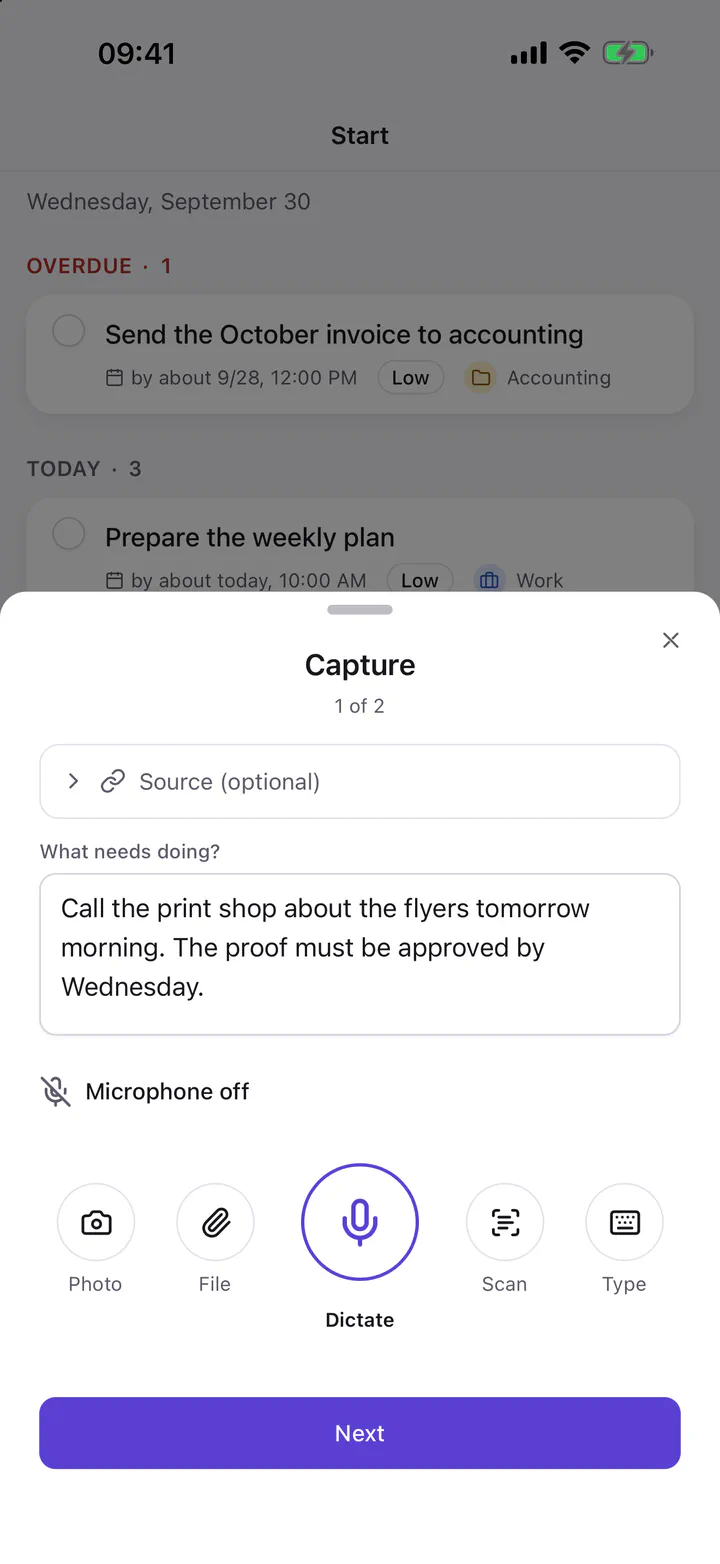
Select text, press the shortcut, done. Omnido takes the text and its context along, such as the app, the window title or the page address.
Check
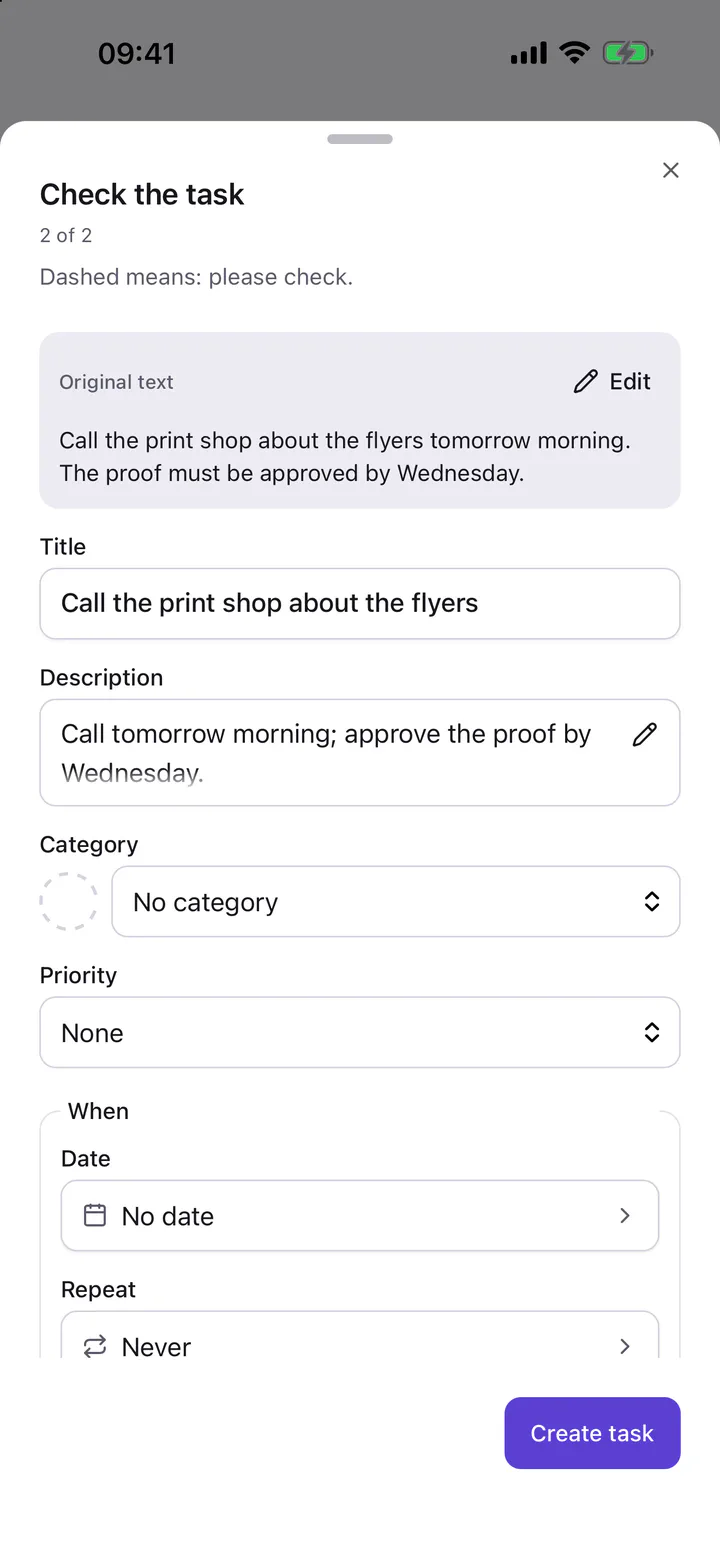
The AI suggests a title, description, date and category. Dashed fields still need a check. You change what doesn’t fit and accept the task.
Overview
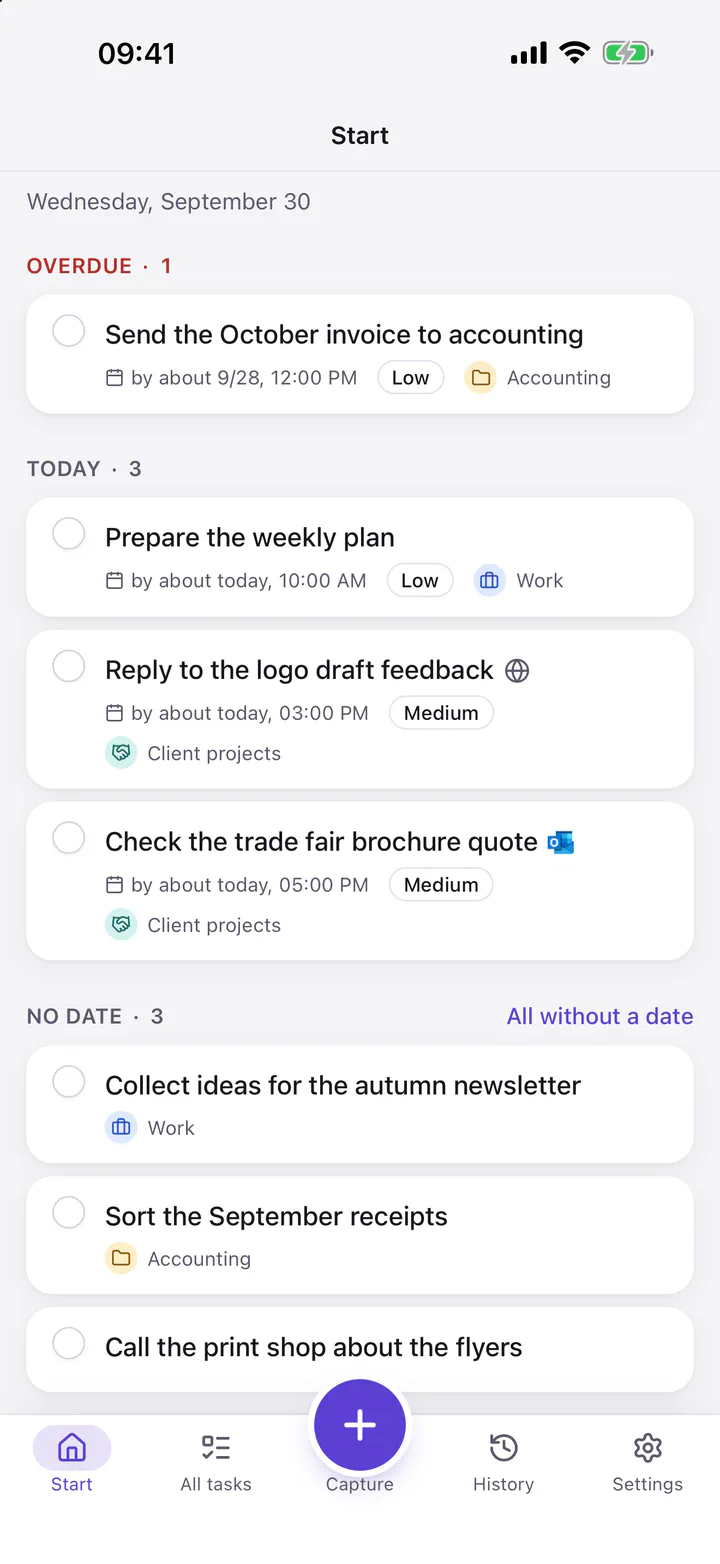
Start shows what matters now: new captures, what is overdue and what is due today. You sort all tasks by time or area, work and personal in one place.
Go to source
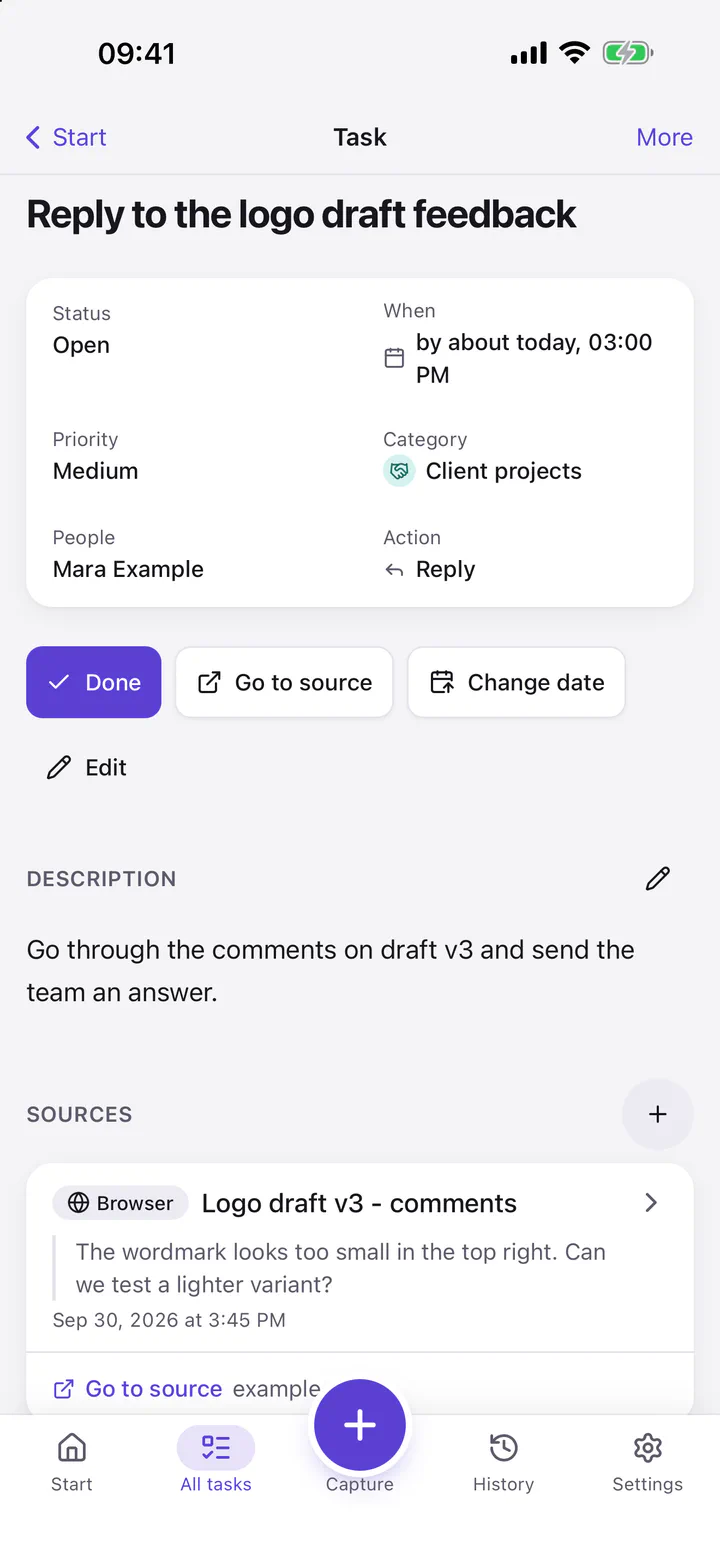
The task keeps its source with its origin and an excerpt. “Go to source” takes the best stored way back, for example to the mail, the chat or the page.
Screenshots from the iPhone app with sample data.
Why Omnido exists
My tasks were spread across GitHub issues, Planner, Microsoft To Do, WhatsApp and personal notes. I was missing one overview, and later I often no longer knew where I had to reply. That is why I am building Omnido.